
Billing cycles
Set the statement-closing day and the charge day for each card, once and for all.
MyBudgetPlanner is a future Android app concept for personal budgeting: it will help you plan the month's spending, record income and expenses, keep an eye on your account balances and know how much is left until the end of the month.
You enter the data yourself: the app does not connect to your bank accounts and never imports transactions automatically. Everything is stored in your phone's memory, with no account and no external servers.
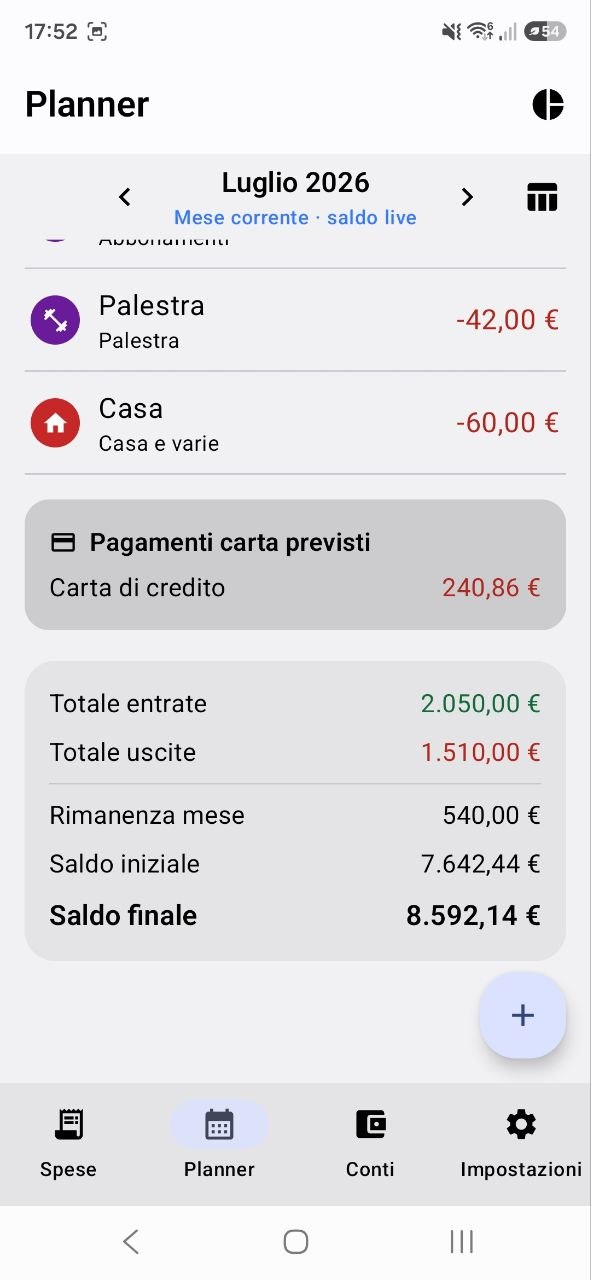
That is the whole difference: instead of only tracking what you have already spent, you decide in advance where your money goes.
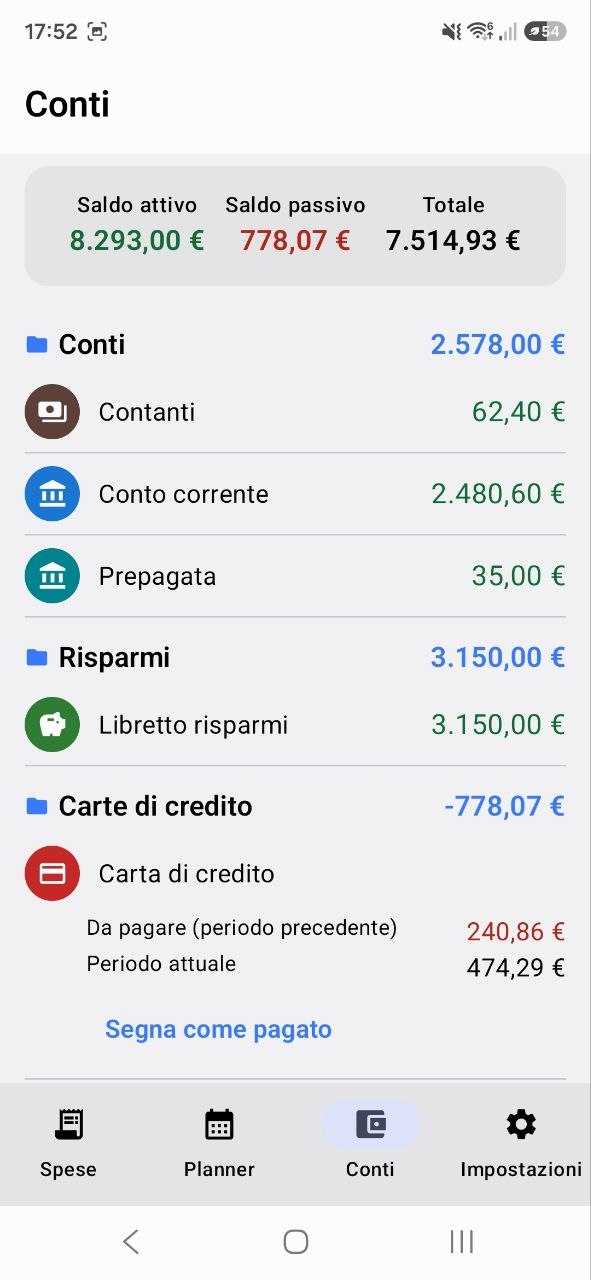
Money you spend with a credit card leaves your account when the charge arrives, not at the moment of purchase. That is why each card has its statement-closing day and its charge day: the app assigns the expense to the month when the money will actually leave your account.
Set the statement-closing day and the charge day for each card, once and for all.
The app works out your balance and shows the expense in the month the money will actually leave your account.
Tell a closed statement from the current period instantly, and record the balance with a single tap.
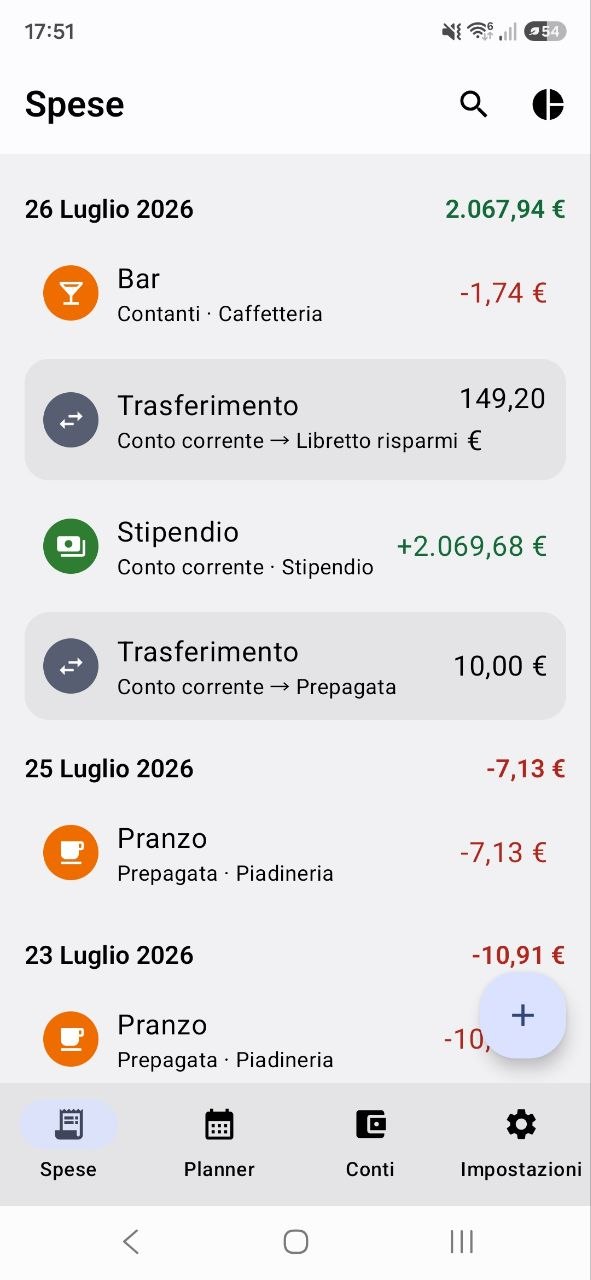
Adding an expense takes a couple of seconds: if it is not fast, nobody does it.
"Today" and "Yesterday" are one tap away, right where your thumb already is.
Link refunds to the original expense, attach the location, or connect the expense to a Planner entry.
Select several transactions at once to organise them together.
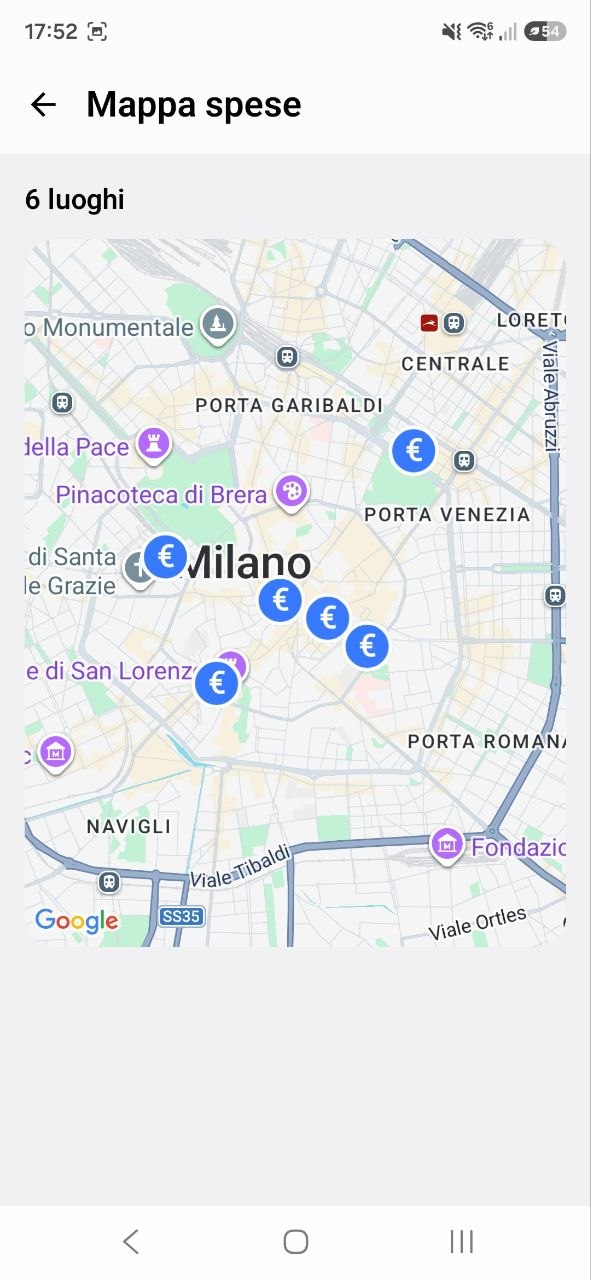
Your data stays on the device: there is no app server, no analytics and no profiling. The only connection is Google Maps, and only if you open the expense map.
Protect access to the app with your fingerprint, face recognition or a PIN.
No banners, no promotional messages. Ever.
Schedule daily or weekly backups to the folder of your choice — including a folder synchronised with your own cloud.
Export and import .xlsx files to work on your figures comfortably from
a computer.
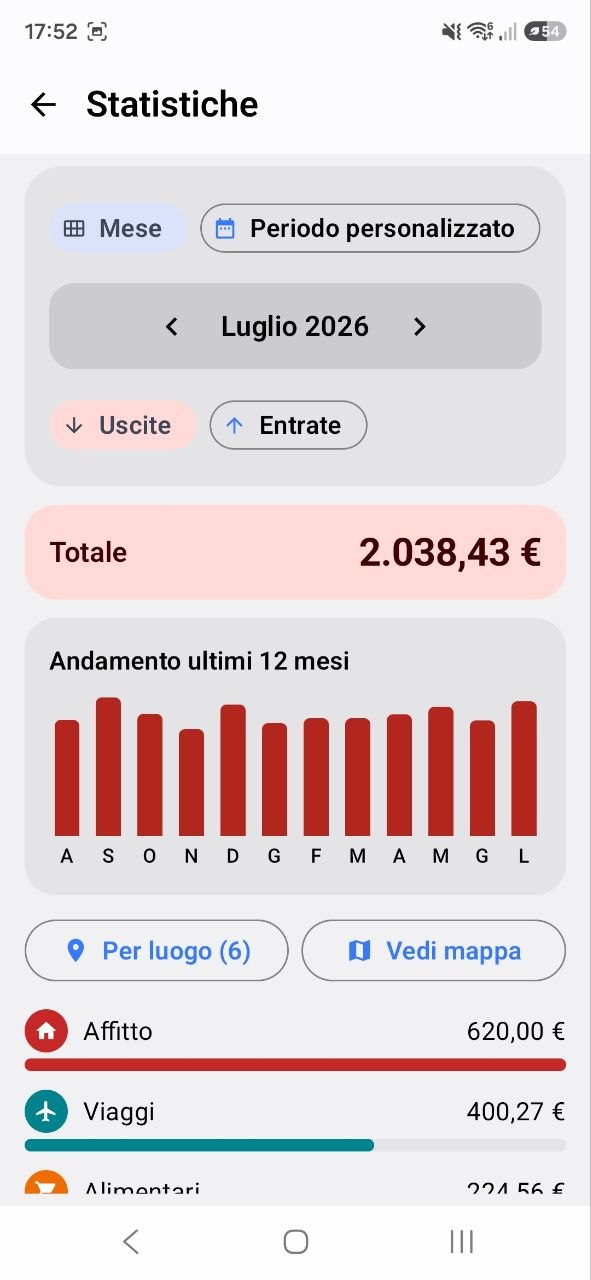
The main screens of the app. Tap an image to see it full size.
| Version | Date | What's new |
|---|---|---|
| 0.1.0 |
July 2026 | Monthly Planner, account management, credit card cycles, basic statistics, backup and .xlsx export. |
Later versions will be listed here, newest first.
| Platform | Android |
|---|---|
| Minimum version | Android 8.0 (API 26) |
| Languages | Italian, English |
| Connection | Not needed for everyday use; only for the expense map |
| Account | Not required |
| Advertising | None |
| Where the data lives | On the device only |
| Export formats | .xlsx (Excel) |
| Status | Future project, not published yet |
| Developer | Marini Simone |
Check these details before publishing: they must match what the store listing declares.
Better said upfront, to avoid the wrong expectations.
Conceived for anyone looking for a precise, complete and privacy-conscious tool to manage their own money. It is not published yet: if you would like to suggest a feature, get in touch.